Dear Valued Customer,
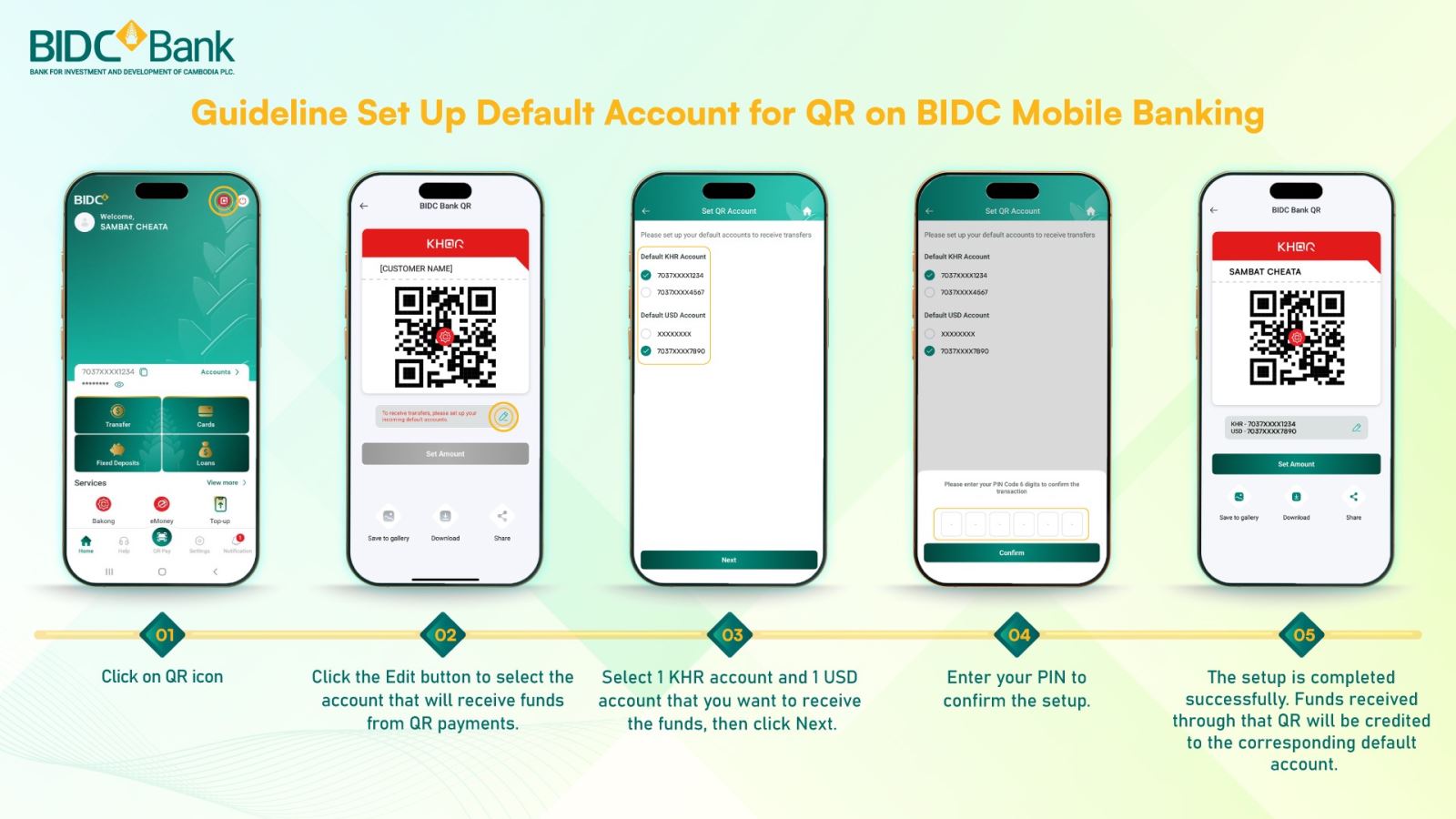
BIDC Bank would like to announce that BIDC Mobile Banking now supports one KHQR for both KHR and USD accounts. Please set up default account for your QR with below simple step:
Step 1: Click on QR icon
Step 2: Click the Edit button to select the account that will receive funds from QR payments.
Step 3: Select 1 KHR account and 1 USD account that you want to receive the funds, then click Next.
Step 4: Enter your PIN to confirm the setup.
Step 5: The setup is completed successfully. Funds received through that QR will be credited to the corresponding default account.
Note: If the default accounts are not set up successfully, you cannot receive funds via QR.





© 2009 - 2026 Bank for Investment and Development of Cambodia Plc.